

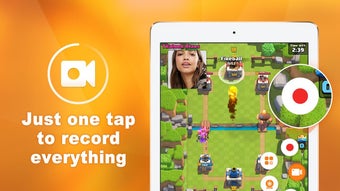
Description
Download DU Recorder Screen Recorder Video Editor APK – Screen Recording, Video Editing, Android, Free, 1080p, 720p
Overview
Du Recorder Screen Recorder & Video Editor is a free Android application designed to simplify the process of capturing and editing screen content directly from mobile devices. It serves as a comprehensive tool for users who need to record gameplay, tutorials, presentations, or social media content. The app enables high-quality screen recording in both 1080p and 720p resolutions, supporting both landscape and portrait orientations. Its dual functionality as a screen recorder and video editor makes it ideal for students creating study materials, content creators producing social media videos, and gamers capturing in-game moments.
Developed by the DU Recorder Team, the application is part of a broader suite of performance-optimized tools, including DU Speed Booster and DU Battery Saver, which are well-known in the Android ecosystem. This association suggests a focus on lightweight, efficient software with minimal impact on device performance. The app is available for download on Google Play and other app stores, ensuring broad accessibility. It is updated regularly, indicating ongoing support and feature enhancements.
The software is designed for users seeking a no-cost solution with no ads or in-app purchases, making it appealing for budget-conscious individuals and those who prefer uninterrupted workflows. While the developer did not provide detailed system requirements, the app is described as lightweight and fast, suggesting optimized performance across a range of Android devices. Real-world usage scenarios include recording mobile app walkthroughs, creating educational content, and editing short-form videos for platforms like YouTube, Instagram, and TikTok.
Key Features & Capabilities
- High-Quality Screen Recording – Capture screen activity in 1080p and 720p resolutions with adjustable frame rate and bitrate settings, allowing users to balance quality and file size based on their needs.
- Video Editing Tools – Trim, crop, and cut video clips directly within the app to refine content before sharing.
- Orientation Flexibility – Record and edit videos in both landscape and portrait modes, ideal for content tailored to vertical video platforms.
- Visual Enhancements – Apply filters such as blur to sensitive areas, add background images for vertical videos, and include subtitles for clarity.
- Audio Customization – Add background music or voiceovers to enhance storytelling and engagement.
- One-Click Sharing – Export and share videos directly to Facebook, Twitter, YouTube, Instagram, Snapchat, and other popular social media platforms.
- Multi-Language Support – Available in multiple languages, improving accessibility for global users.
These features collectively support a streamlined workflow from recording to publishing. For example, a student can record a lecture, trim irrelevant segments, add subtitles, and share the final video with classmates. Similarly, a mobile gamer can capture a high-intensity gameplay sequence, apply a background image for vertical posting, and upload it to TikTok without leaving the app. The integration of editing tools within the recorder eliminates the need for multiple applications, enhancing efficiency and reducing file transfer steps.
User Interface, Workflow & Performance
The user interface of DU Recorder is designed with simplicity in mind, prioritizing accessibility for users of all technical levels. The main screen presents essential functions—record, edit, and share—through intuitive icons and clear labels. Navigation is straightforward, allowing users to switch between recording and editing modes with minimal effort. The workflow is linear and efficient: initiate recording, pause or stop, enter the editor, apply adjustments, and export.
While the developer did not specify resource usage details, the app is described as lightweight and fast, suggesting optimized performance on mid-range and older Android devices. This implies low CPU and RAM consumption during operation, which is crucial for maintaining device responsiveness during long recordings. Stability is expected to be consistent, given the regular update cycle and the developer’s track record with other performance tools. However, exact performance data, such as frame drops or battery drain, were not provided.
General observations based on typical mobile software behavior indicate that the app likely maintains smooth operation during standard use. Users can expect minimal lag when switching between recording and editing functions. The absence of ads and in-app purchases contributes to a cleaner interface and uninterrupted user experience. Overall, the workflow supports rapid content creation, making it suitable for time-sensitive tasks such as live event coverage or urgent tutorial production.
Compatibility & System Requirements
Du Recorder Screen Recorder & Video Editor is compatible with most Android devices, as stated by the developer. It supports both landscape and portrait recording modes and operates on devices running various versions of the Android operating system. The app is available as an APK file for download on Google Play and other app stores, ensuring broad device reach.
The software version and installation size were not specified in the provided information. Exact system requirements, including minimum Android version, RAM, or storage space, were not listed. The developer did not provide details on hardware-specific capabilities such as GPU acceleration or camera integration. Performance may vary depending on device capabilities, but the app is described as lightweight and fast, suggesting broad compatibility across a range of hardware configurations.
Pros and Cons
Pros
- Free to use with no ads or in-app purchases
- Supports high-quality screen recording in 1080p and 720p
- Integrated video editing tools for trimming, cropping, and adding subtitles
- One-click sharing to major social media platforms
- Available in multiple languages
- Lightweight and fast performance
- Regular updates with new features and improvements
Cons
- Exact system requirements were not listed
- Performance details such as CPU or RAM usage were not specified
- Compatibility with older Android versions is not confirmed
- No information on cloud backup or sync features
- App size and version details were not provided
FAQ Section
Is DU Recorder safe to download and use?
The app is described as safe and secure, with no malware or viruses reported. It is available on official app stores like Google Play, which adds a layer of verification.
Can I use DU Recorder on my older Android device?
The developer states that the app is compatible with most Android devices. While specific device compatibility details were not provided, its lightweight nature suggests it may run on older models.
Does DU Recorder require an internet connection?
Recording and editing can be done offline. However, sharing videos to social media platforms requires an active internet connection.
Is the app free to use?
Yes, DU Recorder is completely free with no ads or in-app purchases, offering full access to all features.
How often is DU Recorder updated?
The app is updated regularly with new features and improvements, ensuring ongoing support and enhanced functionality.
Final Thoughts + CTA
Du Recorder Screen Recorder & Video Editor stands out as a powerful, free solution for Android users who need to record and edit screen content efficiently. Its combination of high-quality recording, built-in editing tools, and seamless sharing capabilities makes it a top choice for students, educators, content creators, and gamers. The lack of ads and in-app purchases enhances the user experience, while regular updates ensure long-term usability.
Although specific system requirements and performance metrics were not provided, the app’s lightweight design and broad compatibility suggest it will perform well across a wide range of devices. For users seeking a reliable, no-cost tool for screen recording and video editing, DU Recorder delivers strong value.
Download DU Recorder now
Guides & Tutorials for DU Recorder Screen Recorder Video Editor APK
How to install DU Recorder Screen Recorder Video Editor APK
- Click the Preview / Download button above.
- Once redirected, accept the terms and click Install.
- Wait for the DU Recorder Screen Recorder Video Editor APK download to finish on your device.
How to use DU Recorder Screen Recorder Video Editor APK
This software is primarily used for its core features described above. Open the app after installation to explore its capabilities.
User Reviews for DU Recorder Screen Recorder Video Editor APK 0
No reviews found





